How to use EZjoin
Everything you need to know to organize group activities like a pro.
Getting started
Create your account and set up your first activity in under 2 minutes.
Sign up with your email
No username needed — just your email and a password. You can optionally add your name.
Create a group
A group is your team, club, or friends. Add members with their name and optionally email and phone number.
Create an activity
Set the name, date, time, and location. Choose if it's a one-time event or recurring (weekly, biweekly, monthly). Configure when to send invitations and reminders.
Groups & Members
Organize the people you do activities with.
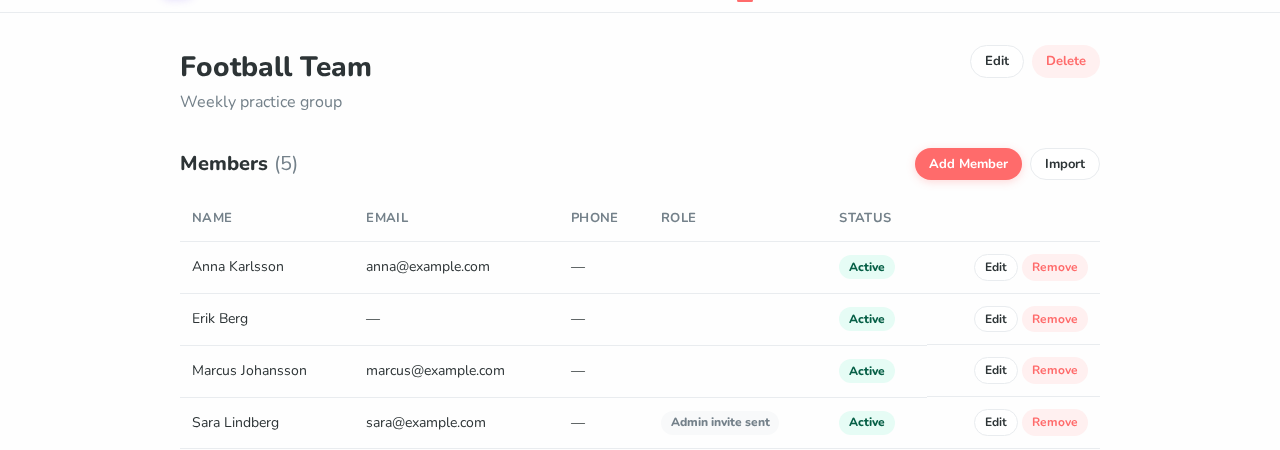
Adding members
Only a name is required. Add email to enable invitations and reminders. You can add members one by one or import many at once using CSV format.
Pausing members
Need someone to take a break? Pause them from the member edit page. Paused members stay in the group but won't receive invitations or be able to respond.
Member roles
Members can be regular members, admins, or the group owner. Roles are shown as badges in the member list. The owner's email is automatically recognized.
Activities
One-time events or recurring activities — your call.
📅 One-time events
Perfect for a party, tournament, or special occasion. Set the date and time, and a single event is created with invitations for all group members.
Recurring activities
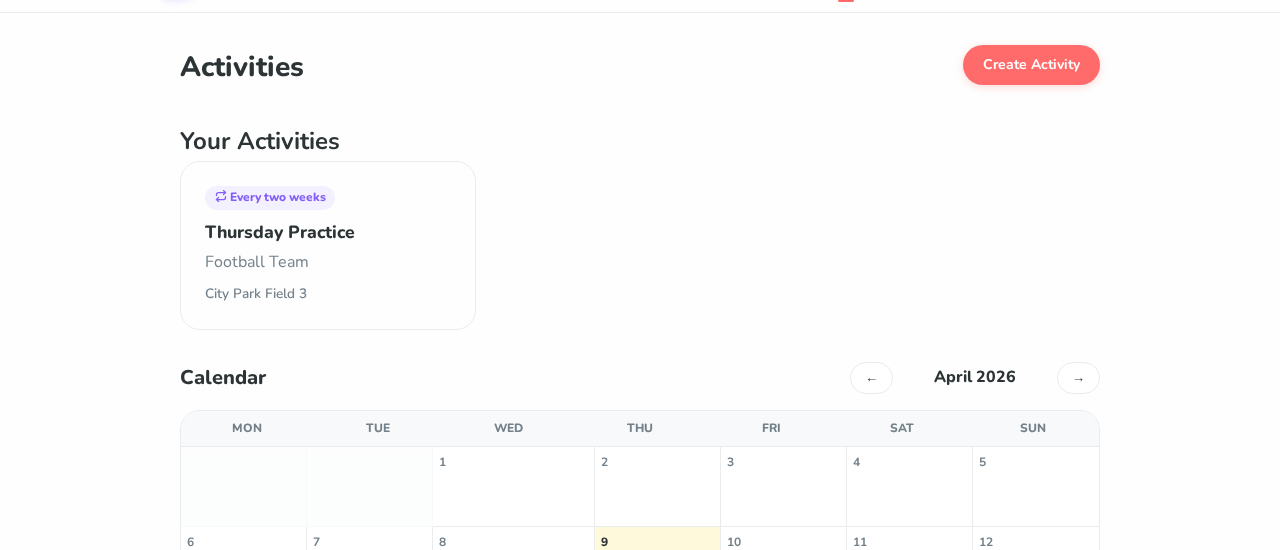
Weekly football practice? Monthly book club? Set it once and EZjoin automatically creates new events and sends invitations on your schedule.
📊 Calendar view
All your upcoming events are shown on a monthly calendar. Click any event to see details and responses.
Signup limits
You can set minimum and maximum number of participants. If the minimum isn't reached by the deadline, the event is automatically cancelled and everyone is notified.
How members respond
No account needed — just one click.
🔗 Personal link
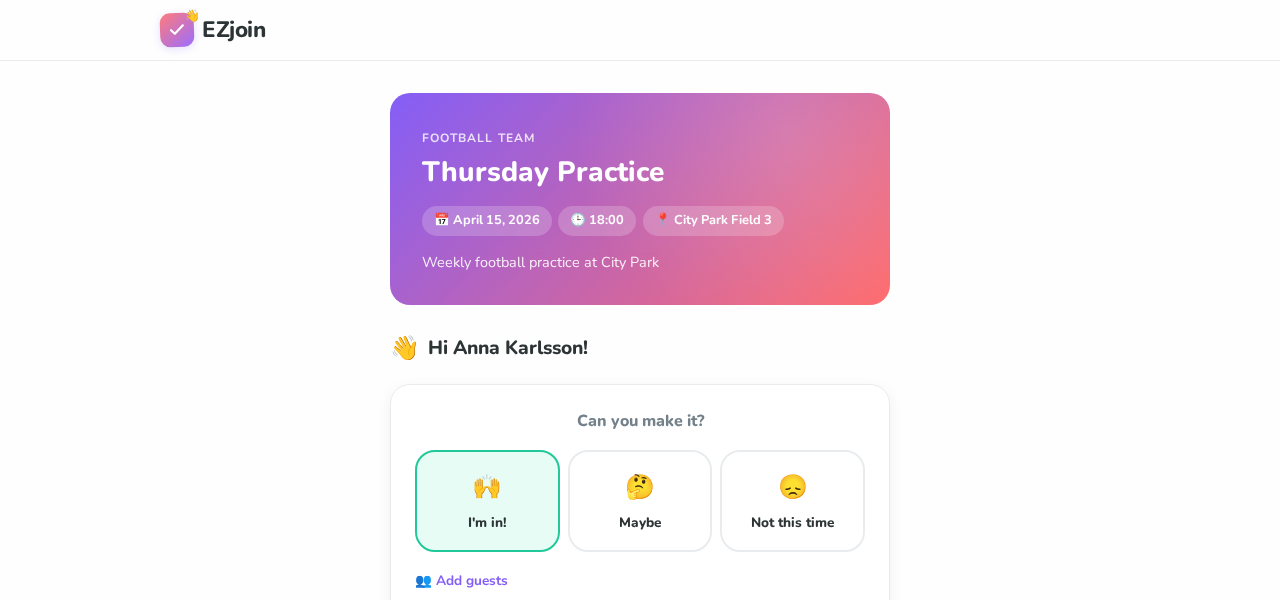
Each member gets a unique link for each event. They can respond directly — no EZjoin account needed.
🙌 Three response options
Members choose: I'm in, Maybe, or Not this time. They can also leave a comment and add guests they're bringing.
👥 Bringing guests
Members who are coming can indicate how many guests they're bringing. Guests are included in the total headcount.
Changing your response
Members can change their response at any time before the deadline by visiting the same link again. After the deadline, responses are locked.
Notifications
Automatic emails keep everyone in the loop.
Invitations
Sent to all members with an email address. Contains the activity details and a personal response link.
Reminders
Sent to members who haven't responded yet. A friendly nudge to help you get an accurate headcount.
Confirmation or cancellation
At the deadline, the event is either confirmed (enough people) or cancelled (below minimum). All respondents are notified.
You choose the timing
When creating an activity, you set exactly when each notification is sent — for example, invitations 1 week before, reminders 1 day before, and deadline 2 hours before. You can also set custom timing.
Multiple admins
Share the management with others.
👑 Owner
The person who created the group. Can do everything including deleting the group, managing admins, and transferring ownership.
🛡️ Admins
Can manage members, create and edit activities, and adjust responses. Promote any member to admin from their edit page.
🔄 Transfer ownership
Moving on? Transfer group ownership to any admin. You'll be demoted to admin and they become the new owner.
Admin invitations
When you promote a member who doesn't have an EZjoin account yet, they receive an email invitation to sign up. The invite is valid for 30 days.
Tips
Get the most out of EZjoin.
Members without email addresses won't receive invitations or reminders. Add their email to keep them in the loop automatically.
Don't create a new event every week — set it as recurring and let EZjoin handle the rest.
If you set a minimum signup count, the event will be automatically cancelled if not enough people sign up. Set it to the actual minimum you need to make the activity worthwhile.
The calendar on the Activities page gives you a quick overview of all upcoming events across all your groups.